
Dashboards answer the questions you thought of when you built them. The real questions come later, and they are almost always ad-hoc: why did traffic spike last Monday, which page drove it, did that new step in the form actually matter.
Until now, a question like that meant building another report, running an export, or asking someone in data. With our next release, Ask AI joins govanalytics: a chat that talks directly to your analytics data and gives answers without you leaving the dashboard.
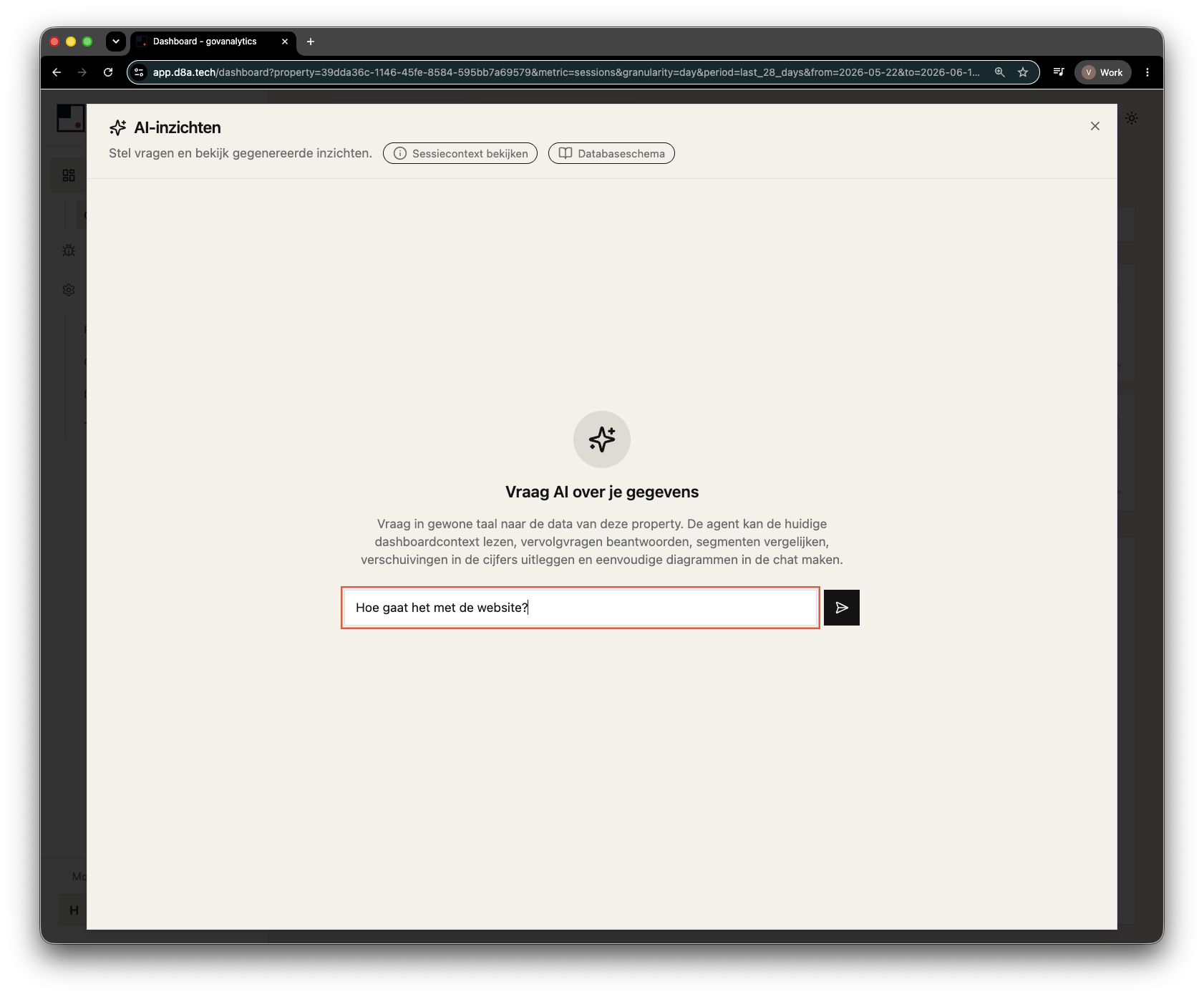
Simplicity is the feature.
Ask AI approaches a question the way an analyst would: you ask it in plain language, the agent decides for itself how to reach an answer. No query to write, no report to configure, no data model to know. The answer comes back in the chat — as text, a chart, or a table.
That is not a detail. The gap between “I want to know this” and “I know how to measure this” is exactly the threshold that keeps most people from using their own data. We take that threshold away.
The agent already knows what you are looking at.
Every chat starts with the context of the dashboard you are looking at right now: the selected date range, the active metric, and the filters you have applied. That context travels with your question to the agent, so you do not have to explain anything.
That is why even a lazy prompt works. Ask “How is the website doing?” and the agent already knows you are looking at visitors over the last 28 days, pulls the data, and summarizes what stands out.
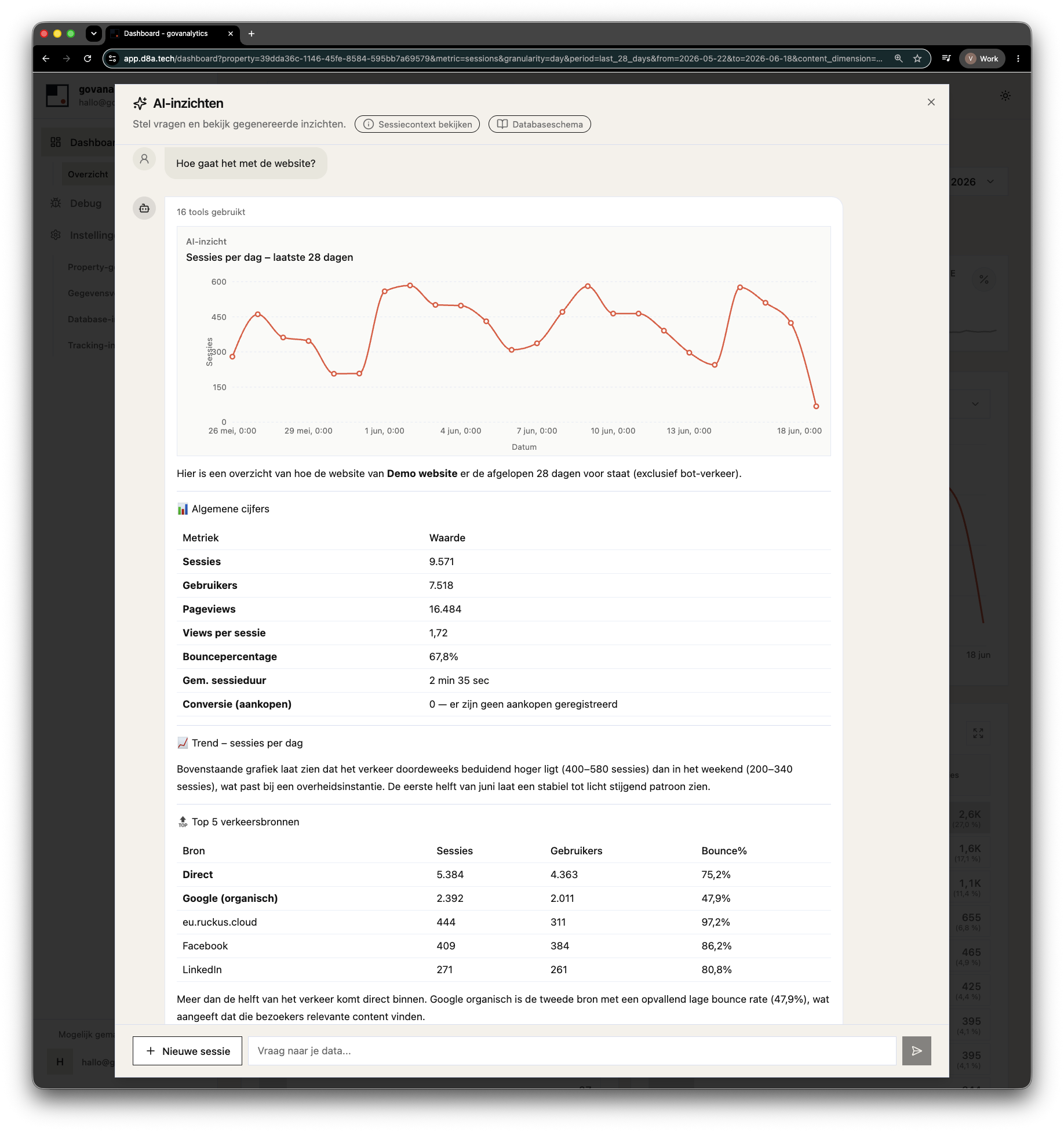
And the context is not a black box. You can see exactly what was sent to the agent at any time. Change the dashboard, and a new session picks up the current state in one click.
An AI feature changes nothing about where your data may go.
Giving a language model direct access to your data is exactly the point where most organizations get nervous. Rightly so. That is why Ask AI was built within the [gov] standard from the first line, not alongside it.
-
The model is a choice, not an assumption. You decide which language model Ask AI uses, and where it runs. Not us. An AI feature that quietly sends your data to a US inference endpoint would undo the very reason you chose [gov]. Serious EU-hosted models are available, and organizations with their own agreement or their own inference can use their own model. That way you keep control over where your data is processed, instead of outsourcing it to a model vendor.
-
Read-only, by construction. The agent’s database access is read-only. It can query your data, but it cannot modify, delete, or export it anywhere.
-
One property per session. Each session has access to exactly one property. No shared context between properties, no path to other tenants. And that separation does not live in a prompt that politely asks the model to behave. It lives below the model, at the access layer.
-
Inspectable context. What the agent receives is shown in the session’s context view. Not hidden in a prompt you cannot see.
-
The boundaries do not sit with the model. The part that matters, namely the orchestration, the data access, and the isolation, lives in the core and not in the language model. The model is a swappable component; the read-only access and the per-property separation hold regardless of which model you choose. So your control does not depend on a vendor behaving well. It is set in the architecture, not in a contract. In our testing, any model above a certain quality threshold works well, so you can freely trade off cost, speed, and provider.
Two paths to the answer.
Under the hood, the agent has two ways to reach your data.
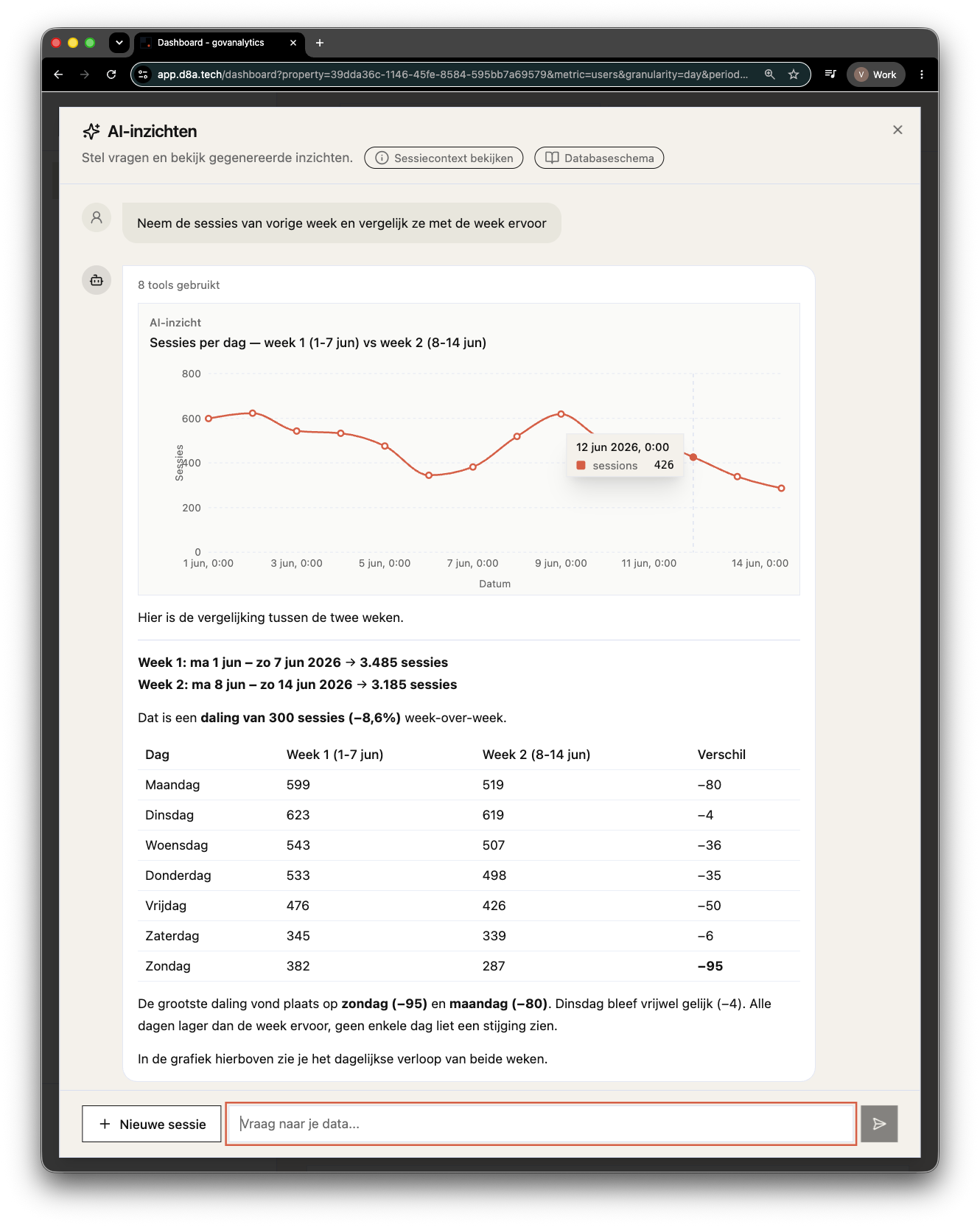
The reporting API: the same API that powers the dashboards. For standard questions, such as trends, comparisons, and breakdowns, the agent calls it the way any other client would. That covers most everyday questions: “take last week’s sessions and compare them with the week before” returns one chart and a day-by-day table.
Direct read-only queries: for questions no report was ever built for, the agent writes its own SQL against the same tables your BI tools may use. Think of a custom funnel from a single event parameter: no ready-made report covers it, so the agent inspects the schema, writes its own read-only query, and reports the drop-off per step.
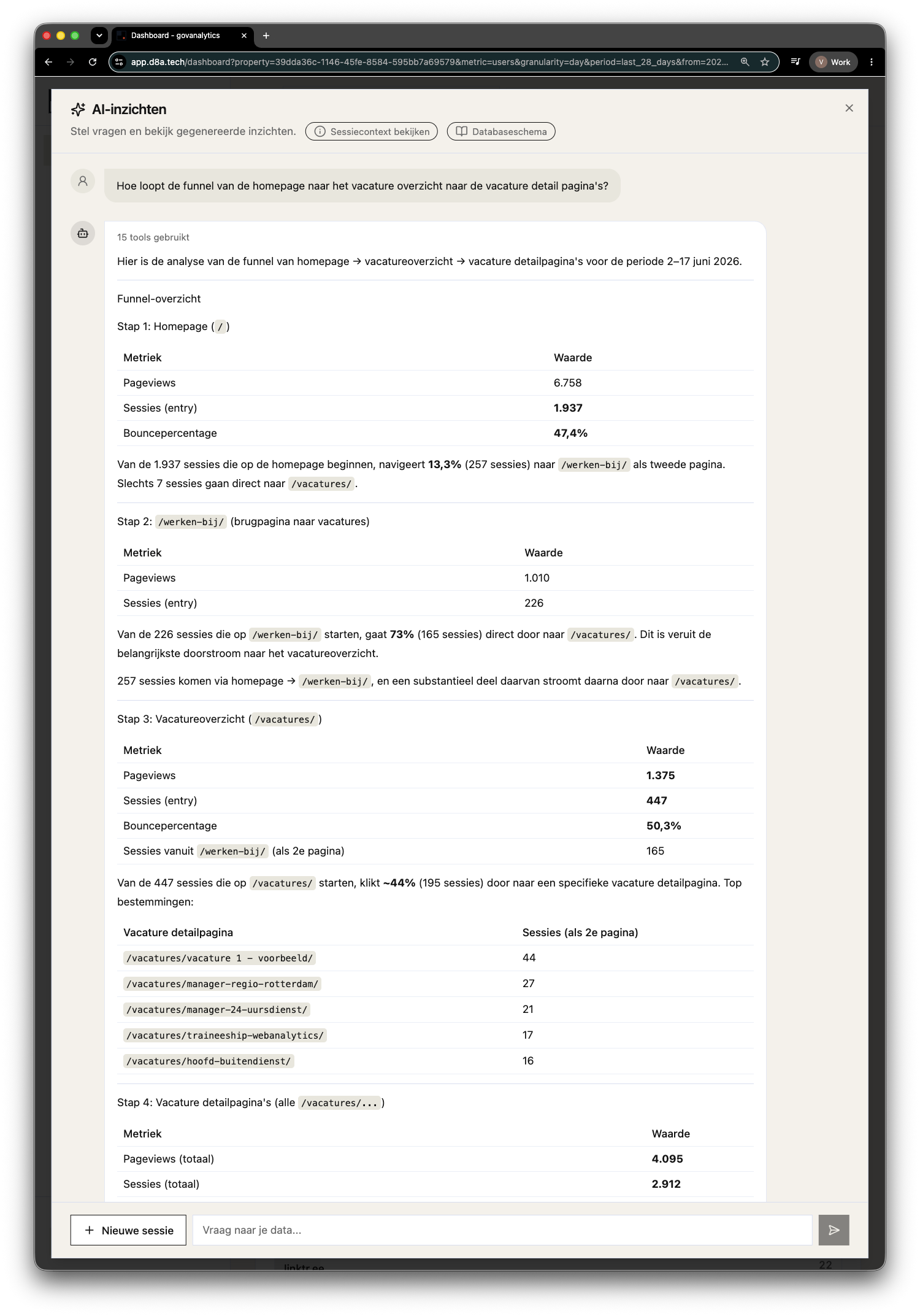
This works because of a choice made long before the agent existed: the data warehouse schema is flat, documented, and designed to be queried by humans and BI tools alike. What is easy for an analyst to query turns out to be easy for a language model to query too. A data model that can only be deciphered with tribal knowledge cannot be saved by any amount of prompt engineering. Clean, documented data: that is what “AI-ready” actually means. The technical reasoning is in the warehouse-first manifesto of our core.
And deliberately only the beginning.
What ships first is the first version. We kept it small and simple, because simplicity is the whole point, and because we would rather release something that does one thing well than something that does everything halfway.
What comes next follows the same line: each step removes more manual work. The direction we are betting on is from prompt to dashboard: describe in plain language what you want to see, and let the agent build the dashboard for you instead of only answering the question.
Every next step stays within the same standard. Not “AI bolted on, compliance after”, but the same boundaries that already apply today: NL/EU, read-only, inspectable.
Start with a question you half already know.
Ask AI arrives with our next release. Once it is live, open a dashboard, start a chat, and ask the question you would normally turn into a report request.
Start with something you half already know the answer to. Watching the agent pull the same numbers you would have pulled, only faster, is the quickest way to build trust in the answers you did not predict.